> ## Documentation Index
> Fetch the complete documentation index at: https://companyname-a7d5b98e-gas-best-practices.mintlify.site/llms.txt
> Use this file to discover all available pages before exploring further.

# Get your TON Center API key

To interact with TON Center’s API at higher rate limits, you’ll need to generate an API key via the official [Telegram bot](https://t.me/toncenter).

## Open the TON Center bot

Open the [`@toncenter`](https://t.me/toncenter) bot in Telegram. Click **Start** to begin the setup.
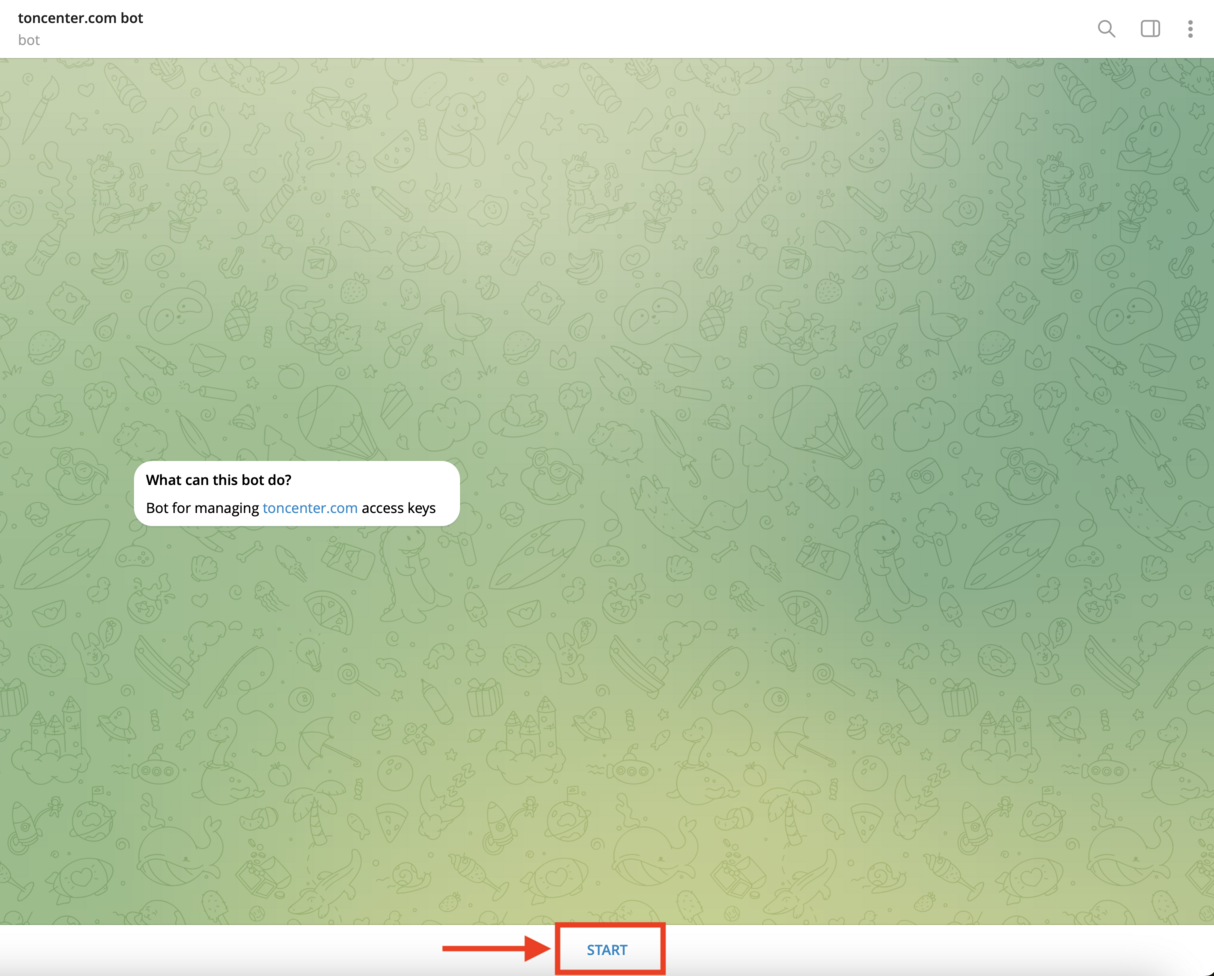
<img src="https://mintcdn.com/companyname-a7d5b98e-gas-best-practices/2oh5D_ncGM8gQILu/resources/images/ton-center/api-key/start-bot.png?fit=max&auto=format&n=2oh5D_ncGM8gQILu&q=85&s=4c8cd7ff78de1fdd601c969d835ff7d4" alt="Start Bot" width="1214" height="976" data-path="resources/images/ton-center/api-key/start-bot.png" />

## Open the API keys manager

Once the bot greets you, press **Manage API Keys**.
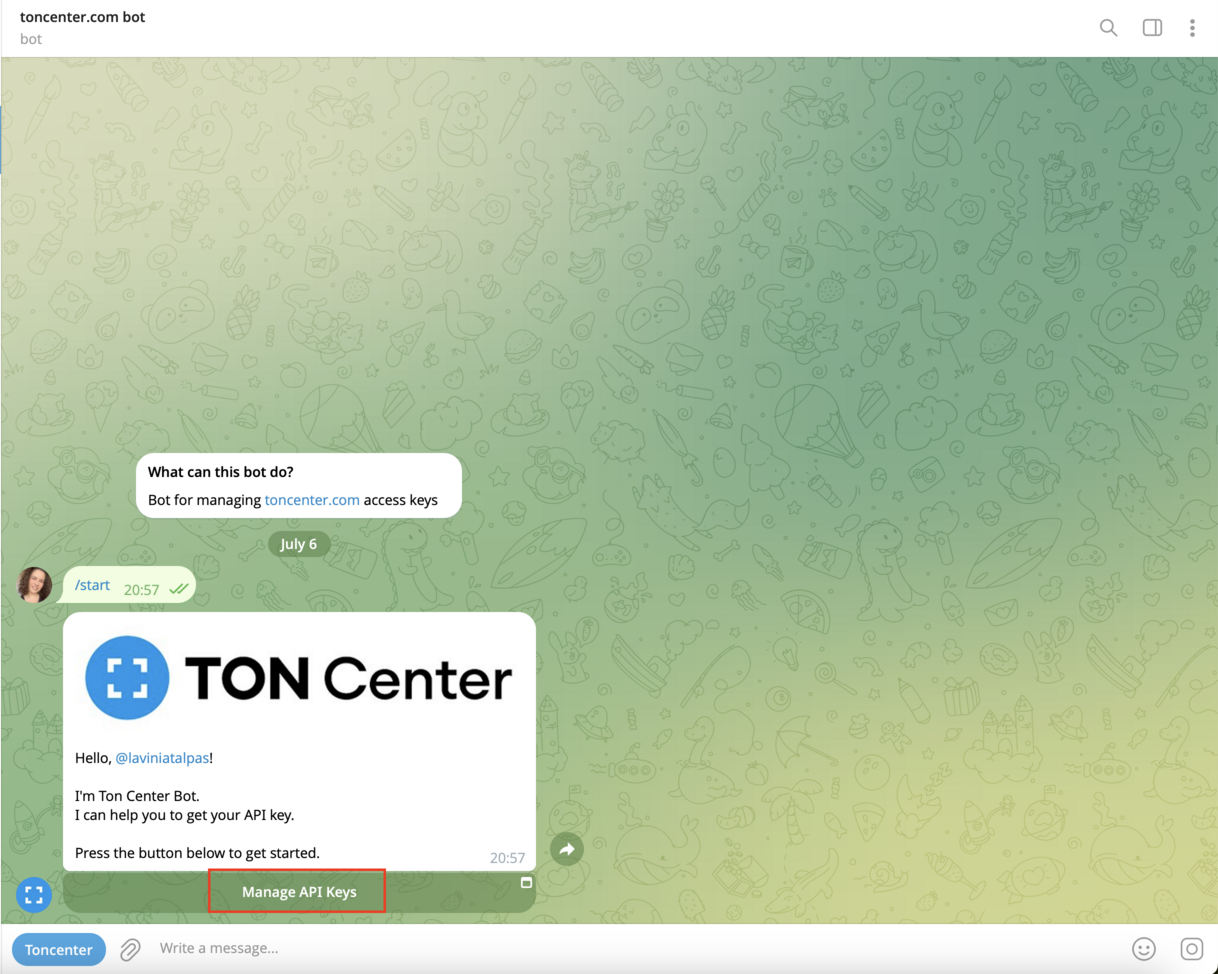
<img src="https://mintcdn.com/companyname-a7d5b98e-gas-best-practices/2oh5D_ncGM8gQILu/resources/images/ton-center/api-key/manage-api-keys.png?fit=max&auto=format&n=2oh5D_ncGM8gQILu&q=85&s=77376dbdceb5efdf9bd3c79b2f45ca89" alt="Manage API Keys" width="1218" height="974" data-path="resources/images/ton-center/api-key/manage-api-keys.png" />

## Choose a subscription plan

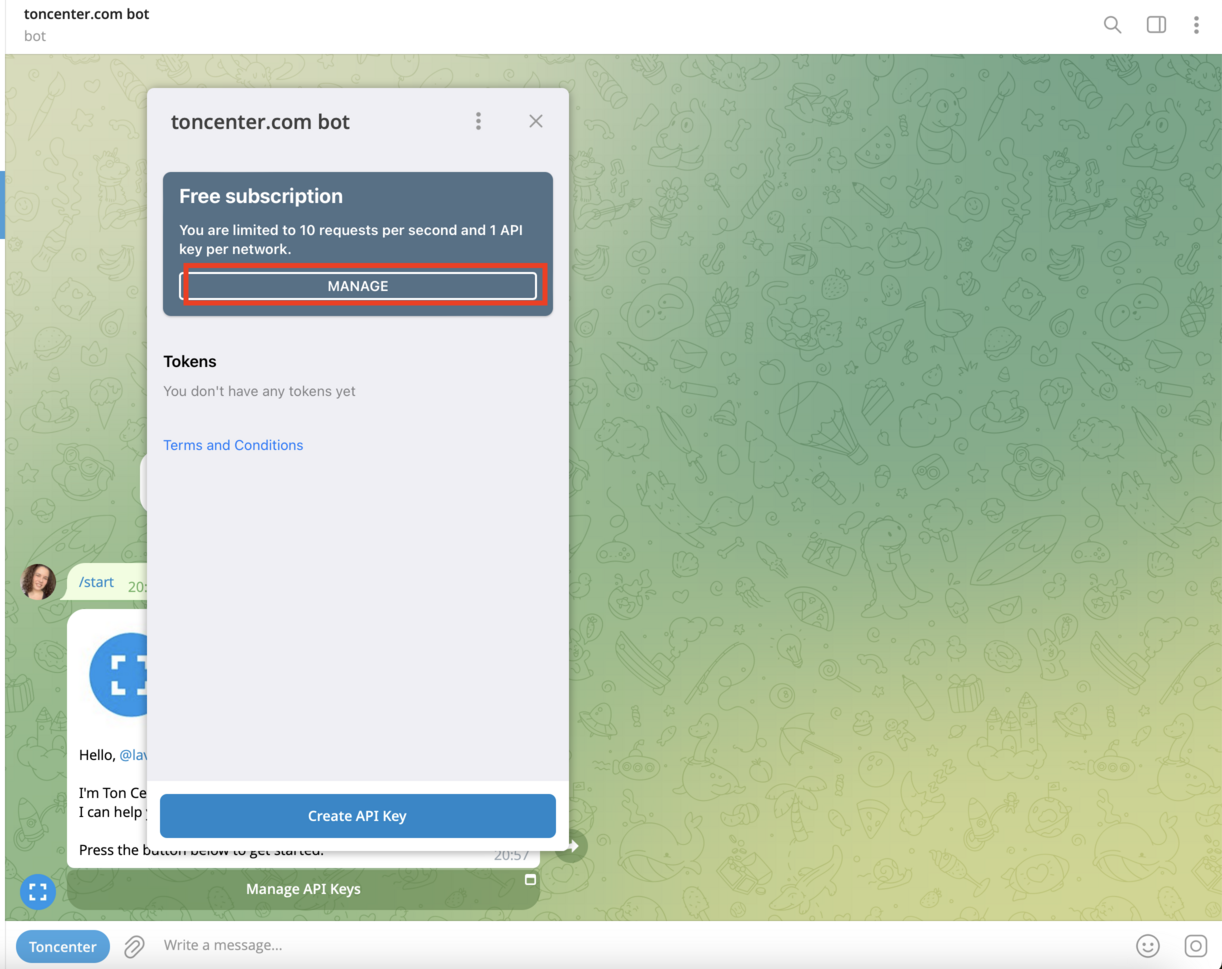
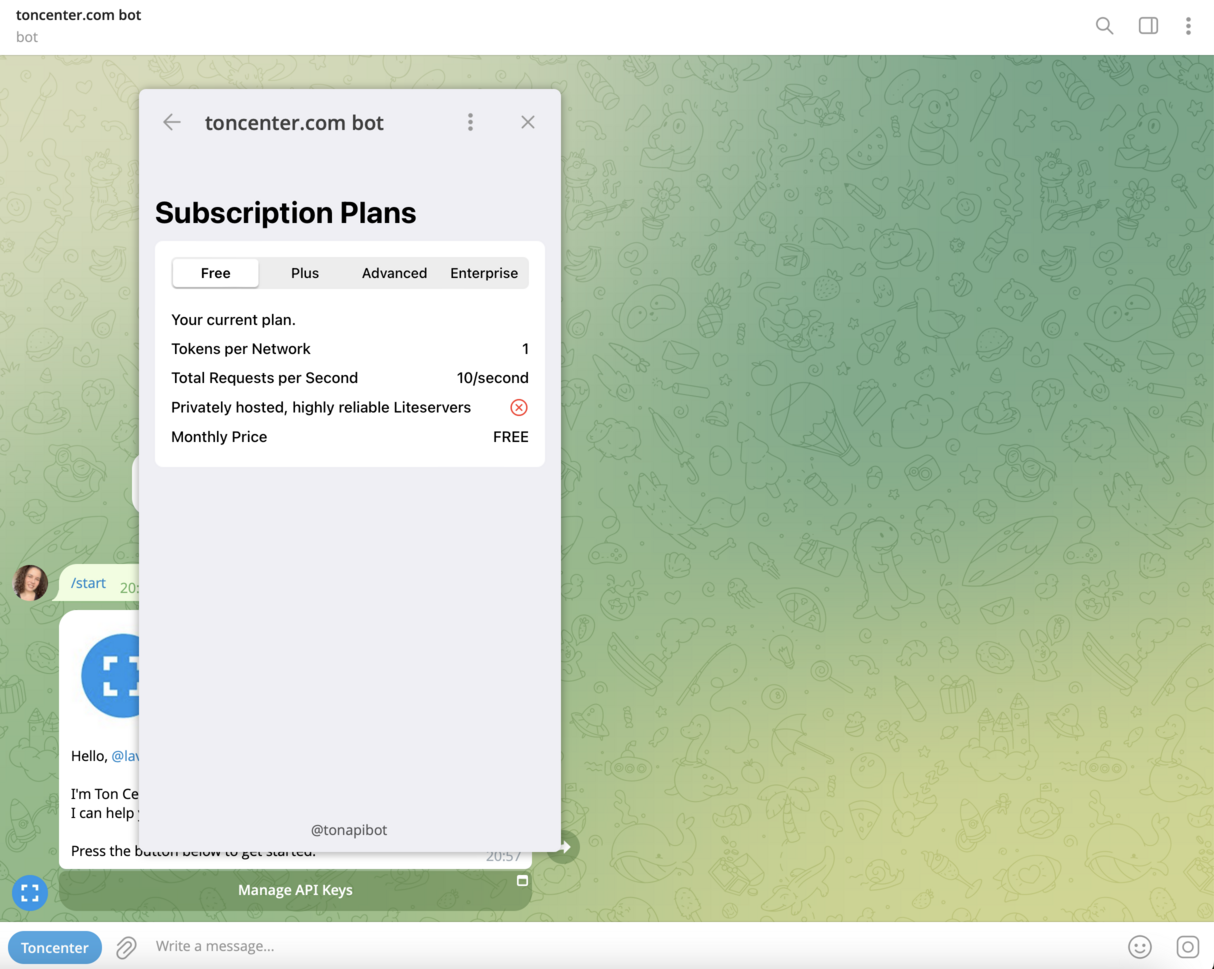
Click **Manage** to open your current subscription details. The default API subscription is the free one.
<img src="https://mintcdn.com/companyname-a7d5b98e-gas-best-practices/2oh5D_ncGM8gQILu/resources/images/ton-center/api-key/subscriptions.png?fit=max&auto=format&n=2oh5D_ncGM8gQILu&q=85&s=668eee676c9995c7fa1f3df7a7eb70d1" alt="Subscriptions" width="1222" height="969" data-path="resources/images/ton-center/api-key/subscriptions.png" />

<img src="https://mintcdn.com/companyname-a7d5b98e-gas-best-practices/2oh5D_ncGM8gQILu/resources/images/ton-center/api-key/subscriptions2.png?fit=max&auto=format&n=2oh5D_ncGM8gQILu&q=85&s=e2e787d9aec7e5894dc14be177036328" alt="Subscriptions" width="1214" height="969" data-path="resources/images/ton-center/api-key/subscriptions2.png" />

You’ll see different tiers available:

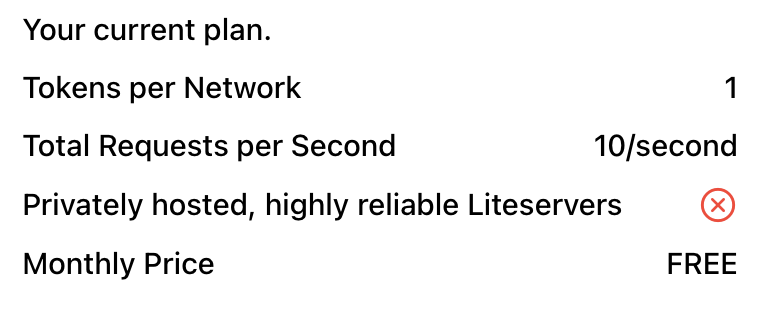
* **Free** – 10 requests/sec, 1 token per network
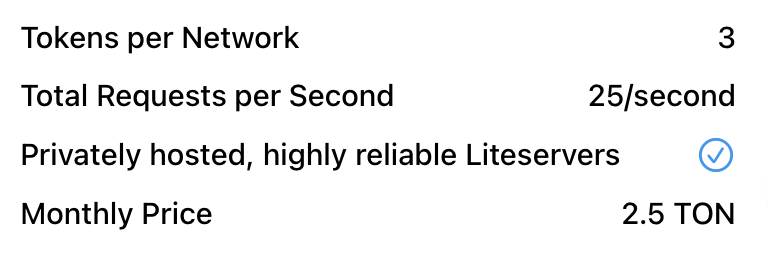
* **Plus** – 25 requests/sec, 3 tokens per network (2.5 TON/month)
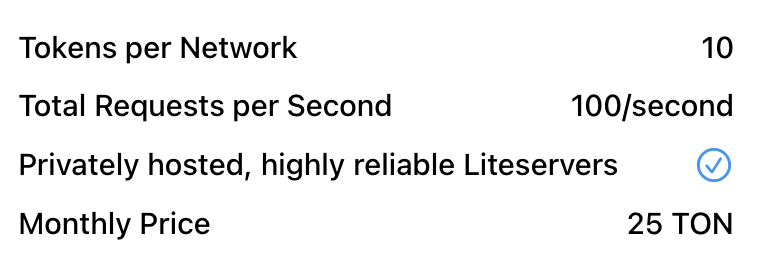
* **Advanced** – 100 requests/sec, 10 tokens per network (25 TON/month)
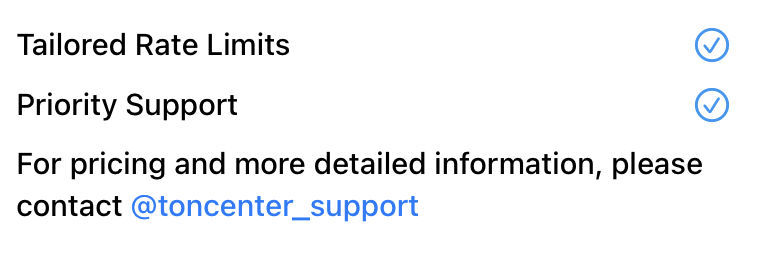
* **Enterprise** – Tailored rate limits, priority support
<Tabs>
  <Tab title="Free">
    <img src="https://mintcdn.com/companyname-a7d5b98e-gas-best-practices/2oh5D_ncGM8gQILu/resources/images/ton-center/api-key/plan-free.png?fit=max&auto=format&n=2oh5D_ncGM8gQILu&q=85&s=30e72d0b520be404e6364e39a6c16675" alt="Free Plan" width="764" height="312" data-path="resources/images/ton-center/api-key/plan-free.png" />
  </Tab>

  <Tab title="Plus">
    <img src="https://mintcdn.com/companyname-a7d5b98e-gas-best-practices/2oh5D_ncGM8gQILu/resources/images/ton-center/api-key/plan-plus.png?fit=max&auto=format&n=2oh5D_ncGM8gQILu&q=85&s=8c9eaef37f9bf1aeeec2908d16e29c61" alt="Plus Plan" width="768" height="260" data-path="resources/images/ton-center/api-key/plan-plus.png" />
  </Tab>

  <Tab title="Advanced">
    <img src="https://mintcdn.com/companyname-a7d5b98e-gas-best-practices/2oh5D_ncGM8gQILu/resources/images/ton-center/api-key/plan-advanced.png?fit=max&auto=format&n=2oh5D_ncGM8gQILu&q=85&s=2f4e828ca8420580a1c5f7693b78baeb" alt="Advanced Plan" width="764" height="276" data-path="resources/images/ton-center/api-key/plan-advanced.png" />
  </Tab>

  <Tab title="Enterprise">
    <img src="https://mintcdn.com/companyname-a7d5b98e-gas-best-practices/2oh5D_ncGM8gQILu/resources/images/ton-center/api-key/plan-enterprise.png?fit=max&auto=format&n=2oh5D_ncGM8gQILu&q=85&s=091d899540da75496ced4b5d617c7b27" alt="Enterprise Plan" width="760" height="266" data-path="resources/images/ton-center/api-key/plan-enterprise.png" />
  </Tab>
</Tabs>

## (optional) Upgrade your plan

To upgrade:

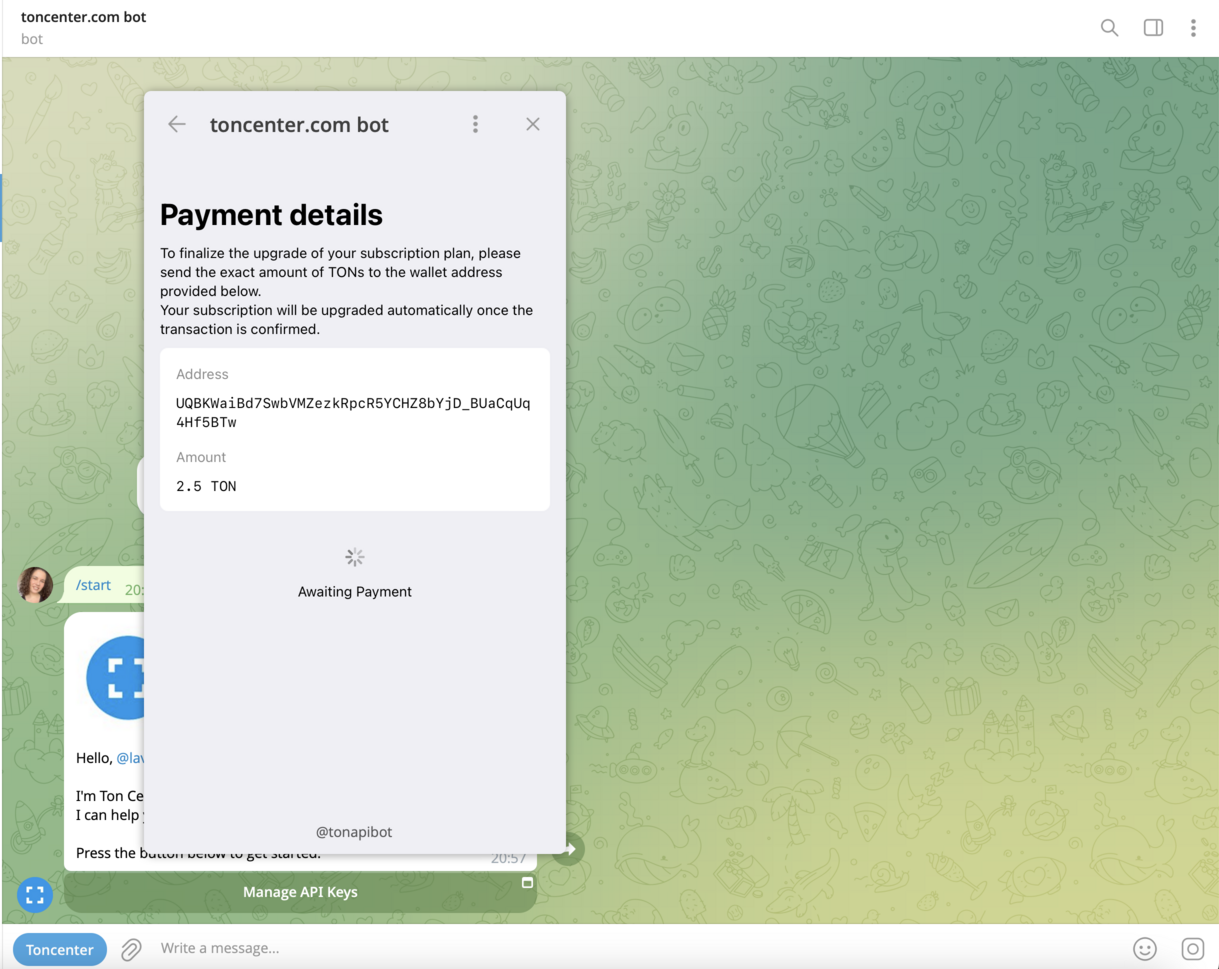
* Select your desired plan in the bot interface and click **Purchase Subscription**.

* You’ll be shown payment instructions like the following:
  <img src="https://mintcdn.com/companyname-a7d5b98e-gas-best-practices/2oh5D_ncGM8gQILu/resources/images/ton-center/api-key/payment.png?fit=max&auto=format&n=2oh5D_ncGM8gQILu&q=85&s=8525cca93fde8c1a58d412f13cafdddb" alt="Payment" width="1219" height="969" data-path="resources/images/ton-center/api-key/payment.png" />

* Send the **exact amount** of TON to the address provided.

* Your subscription will upgrade automatically once the transaction is confirmed.

## Create your API key

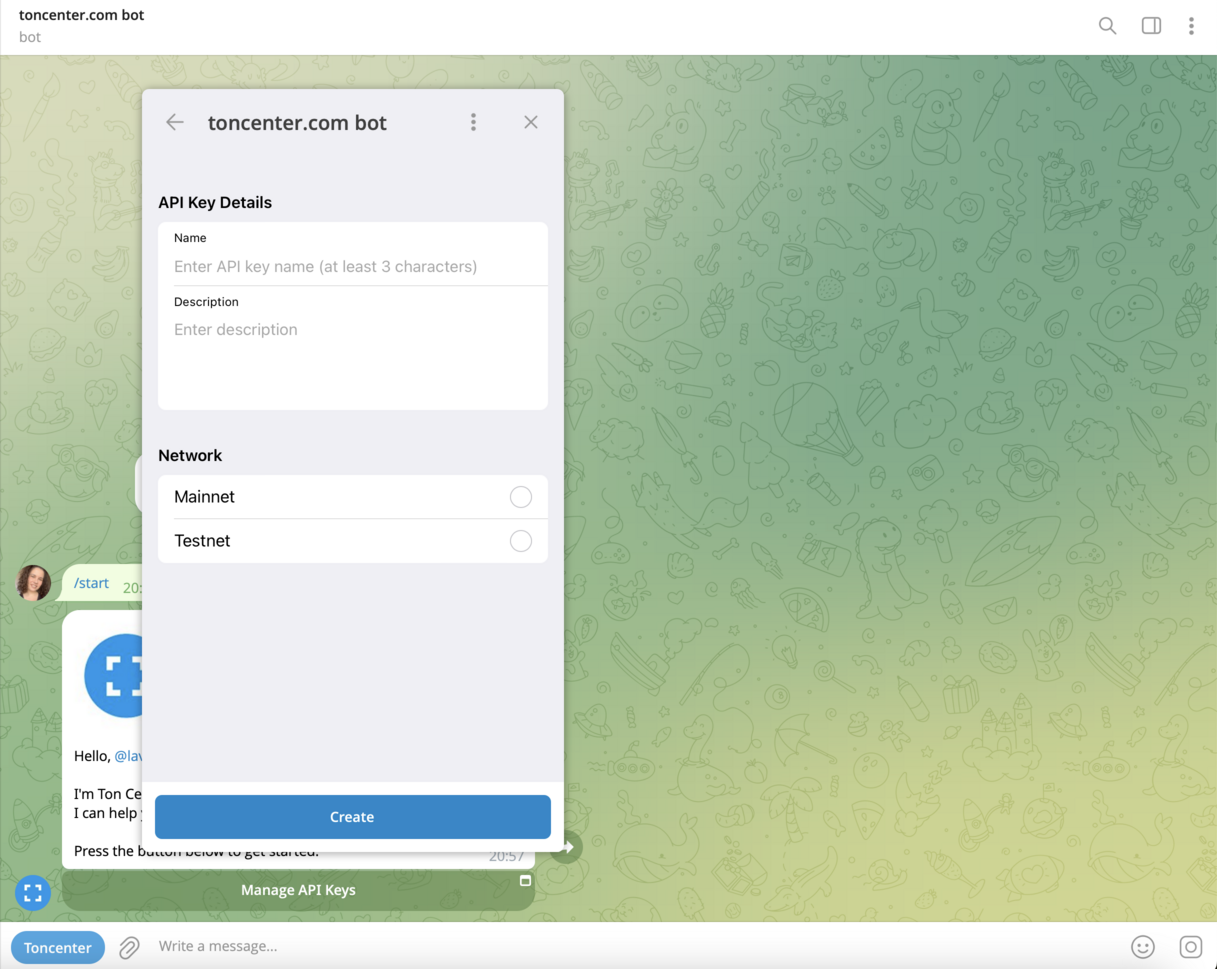
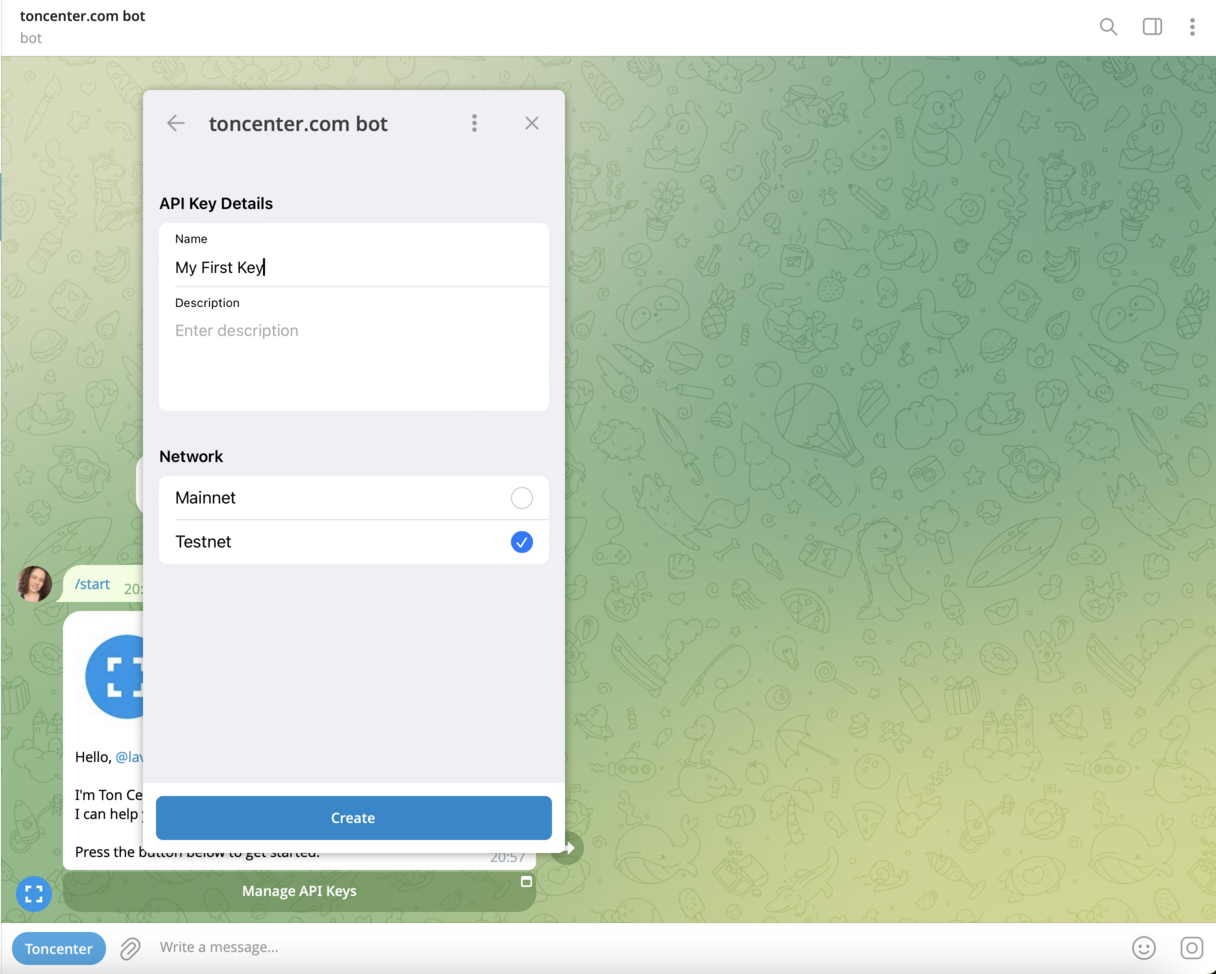
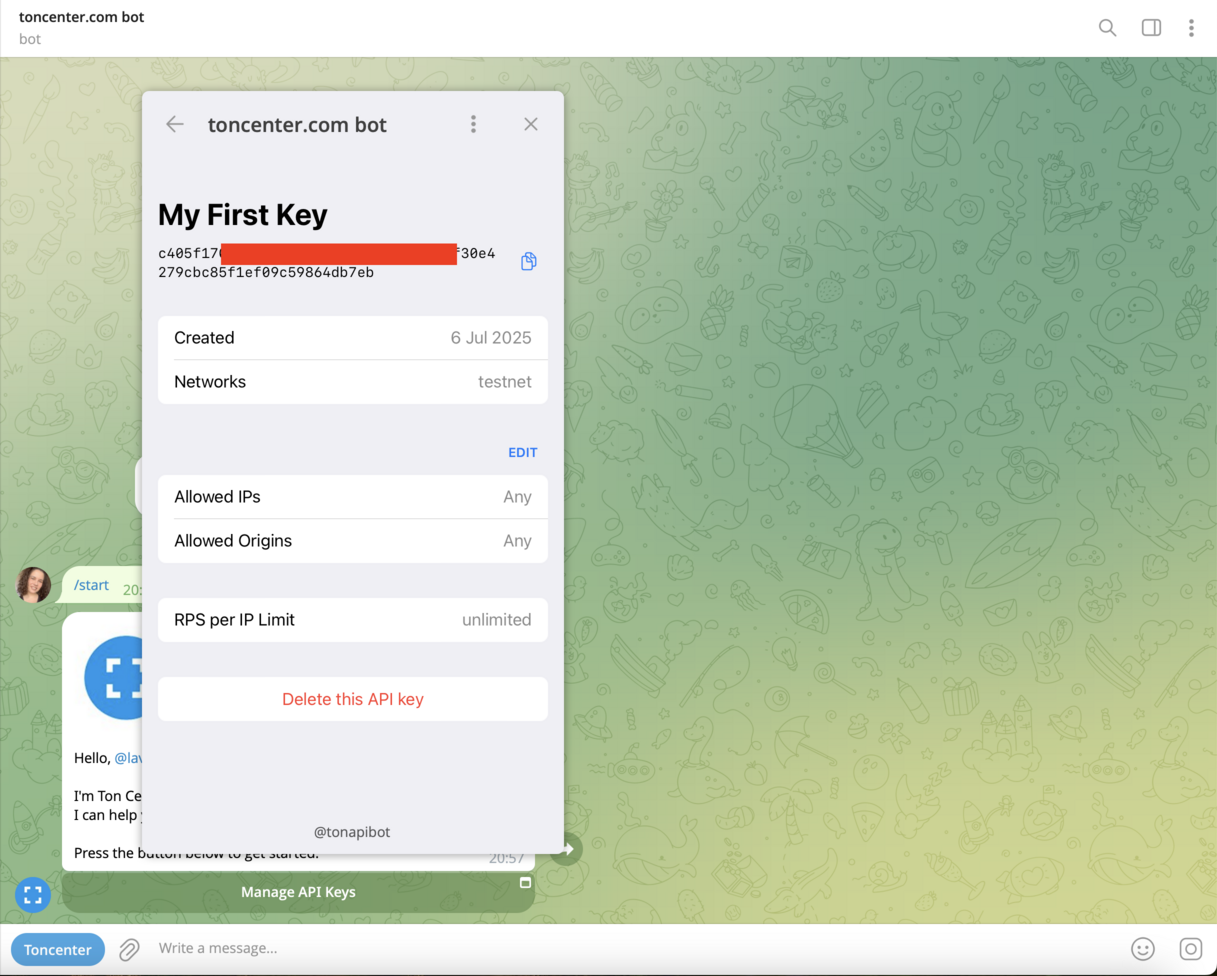
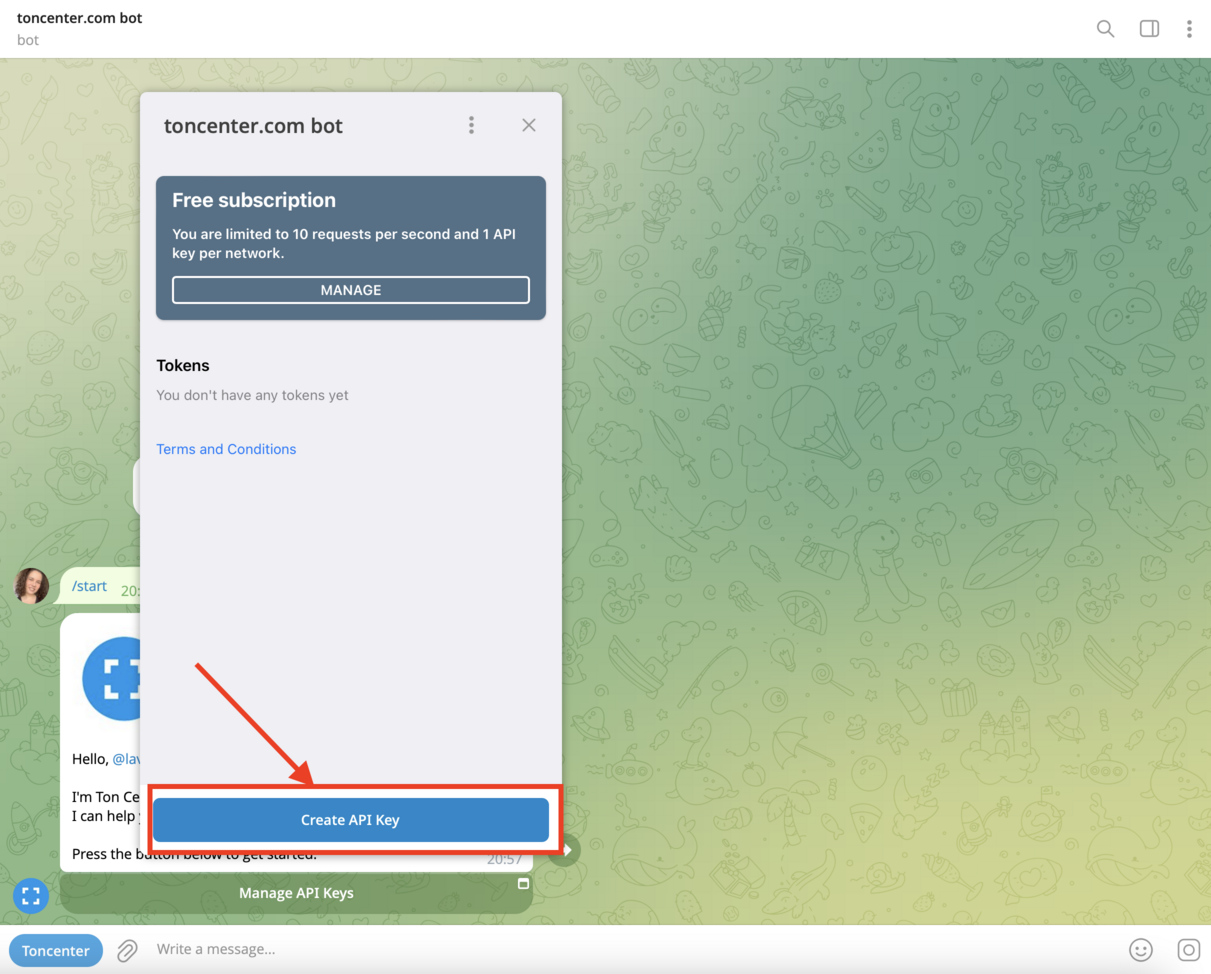
After subscribing (or staying on Free), click **Create API Key** to generate your key.

Once created, your token will appear in the list and can be used in all authenticated requests.
<img src="https://mintcdn.com/companyname-a7d5b98e-gas-best-practices/2oh5D_ncGM8gQILu/resources/images/ton-center/api-key/create-key.png?fit=max&auto=format&n=2oh5D_ncGM8gQILu&q=85&s=301b5d54e3e81ddf99bbf2e9664efc1e" alt="Create API Key" width="1211" height="974" data-path="resources/images/ton-center/api-key/create-key.png" />

<img src="https://mintcdn.com/companyname-a7d5b98e-gas-best-practices/2oh5D_ncGM8gQILu/resources/images/ton-center/api-key/create-key2.png?fit=max&auto=format&n=2oh5D_ncGM8gQILu&q=85&s=340415be6dc3d0293ec2c674b5c8d38b" alt="Create API Key" width="1217" height="969" data-path="resources/images/ton-center/api-key/create-key2.png" />

<img src="https://mintcdn.com/companyname-a7d5b98e-gas-best-practices/2oh5D_ncGM8gQILu/resources/images/ton-center/api-key/create-key3.png?fit=max&auto=format&n=2oh5D_ncGM8gQILu&q=85&s=1bc77c6847c9ec6e9c1388012303b52c" alt="Create API Key" width="1216" height="974" data-path="resources/images/ton-center/api-key/create-key3.png" />

<img src="https://mintcdn.com/companyname-a7d5b98e-gas-best-practices/2oh5D_ncGM8gQILu/resources/images/ton-center/api-key/create-key4.png?fit=max&auto=format&n=2oh5D_ncGM8gQILu&q=85&s=57b9b2b268b91d8a165537c601d5011f" alt="Create API Key" width="1217" height="976" data-path="resources/images/ton-center/api-key/create-key4.png" />

## Get help

* General help: [`@toncenter_help_bot`](https://t.me/toncenter_help_bot)
* Support for enterprise and custom plans: [`@toncenter_support`](https://t.me/toncenter_support)